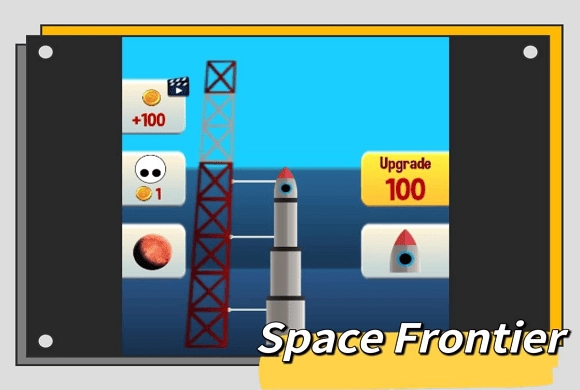
Space Frontier: detach the stage near the fuel marker
Every stage has a limited burn. Detaching early gives up thrust, while waiting past the fuel window ends the flight. Flight earnings can purchase extra stages for a later attempt.
Controls
Launch/Detach: Tap anywhere on the screen (or left-click your mouse) to start the launch, and tap again at the precise moment to detach each rocket stage.
Detach the stage near the fuel marker
Launching a rocket in Space Frontier is all about rhythm, observation, and perfect timing. When you start the game, your rocket is waiting on the launch pad. Tap anywhere on the screen to initiate the launch sequence.
As the rocket ascends, you will notice a colored band shrinking from the bottom of the lowest rocket stage towards the top. This represents the remaining fuel in that specific section. There is a small green area right at the top of the fuel band.
Your goal is to tap the screen exactly when the shrinking fuel line reaches this green zone.
If you tap too early, the stage detaches, but you lose out on potential thrust, resulting in a lower max altitude. You'll see a "Good" or "Great" pop-up.
If you tap perfectly inside the green zone, you'll get an "Awesome" or "Perfect" pop-up, and your rocket will receive a massive speed boost.
Be careful! If you wait too long and miss the green zone entirely, the rocket will explode mid-air, and the run ends immediately.
You need to repeat this tapping process for every stage your rocket has until the final payload is delivered into the sky. Once the flight ends, you are rewarded with gold coins based on the height you achieved. Back on the launch pad, use the "Upgrade" button to spend your coins. Upgrading adds an extra stage to your rocket, ensuring your next perfect launch will take you even deeper into space!
Perfect Timing
Tap exactly when the rocket stage enters the green line for maximum speed and altitude.
Simple Clicker Gameplay and Space Exploration
Reach the required altitude to leave Earth's orbit and unlock new planets like Mars.
Reach a greater altitude through well-timed stage separations
Watch the fuel indicator rather than the scenery so the small timing window stays visible. Treat each new stage as a fresh timing cue instead of assuming the same interval between taps.
Waiting beyond the green zone can destroy the rocket instead of giving extra thrust.
This guide is based on the supplied game instructions.
Questions about Space Frontier
Why does my rocket explode?
Your rocket explodes if you fail to tap the screen before the fuel line completely runs out. You must detach the stage before the fire reaches the very top.
How do I reach Mars or other planets?
To reach new planets, you must continuously upgrade your rocket by spending gold coins. You need enough stages and perfect taps to generate the speed required to break out of Earth's atmosphere.
What is the green line for?
The green line is the "Perfect" zone. Tapping exactly when the fuel level is within this green line grants your rocket a massive speed and altitude multiplier.
Something not working?
Tell us the game name, your device and what happened at mia@minigame.xin.