Pixel Match: a bag occupies a slot before its pixels are used
Each collected bag occupies limited slot space while its pixels fill the picture. Read which colors the canvas currently needs before taking another bag from the belt. A large bag is useful only when its color can contribute; otherwise it can occupy room needed for a different color.
Controls
Tap the moving colored bags on the conveyor belt to collect and launch them.
A bag occupies a slot before its pixels are used
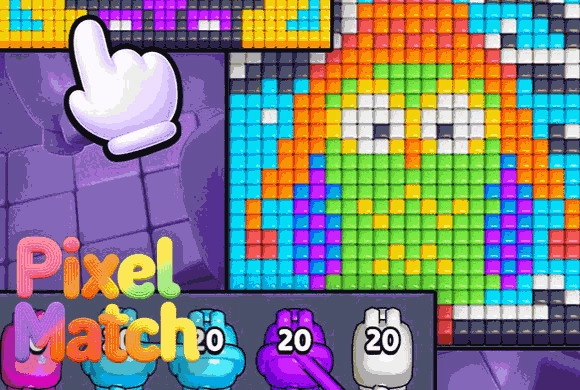
To begin, choose a pixel art pattern from the gallery. You will see a grayed-out image at the top and a conveyor belt moving at the bottom. The belt carries colored bags; the number on each bag shows how many pixel blocks it contains. Observe the colors needed in the pattern above. When a bag of the matching color appears on the belt, tap it to collect it into your active slots. Once collected, the blocks will automatically be dispatched to fill the corresponding pixels on the canvas.
Be careful with your slots—you can only hold a few bags at a time. If your slots are full of colors you don't need, you'll have to wait until they are used. Continue this process until the progress bar hits 100%. Complete the entire image to earn rewards and unlock even more intricate and beautiful pixel art challenges!
Creative Pixel Filling
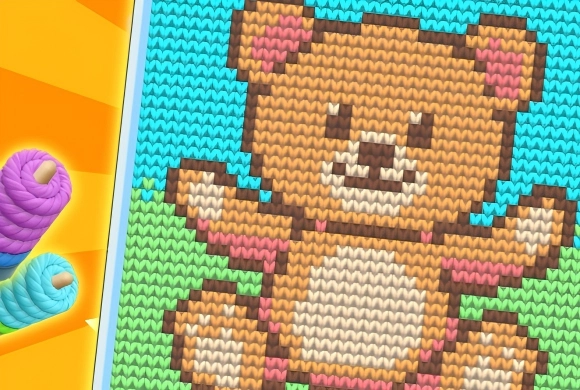
Watch blank outlines transform into colorful masterpieces with every satisfying tap.
Conveyor Resource Mechanic and Adorable Animal Art
Strategically pick the right colored bags from the moving belt to match the pattern.
Unlock and complete a wide variety of cute pixel patterns, starting with lovable dogs.
Fill the pixel pattern completely using the colored bags
Check the picture's needed colors before filling another slot. Avoid holding several bags that cannot contribute to the current image.
Collecting unrelated colors can fill the limited holding slots. The number on a bag describes its contents, not whether the picture needs that color now.
This guide is based on the supplied game instructions.
Questions about Pixel Match
Why can't I pick up a new color bag?
Your holding slots at the bottom are likely full. You must use the existing bags before you can pick up new ones.
What do the numbers on the bags mean?
The number represents the total number of pixels that specific bag will fill in the artwork.
What happens if I miss a color on the belt?
Don't worry! The conveyor belt is a loop, and the colors will eventually come around again.
Something not working?
Tell us the game name, your device and what happened at mia@minigame.xin.