Color nuances: compare the odd tile before making a costly guess
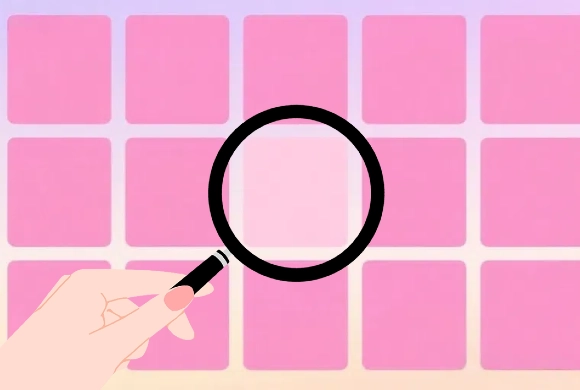
Color Nuances is a visual comparison game. One square differs from its neighbors, while later grids can contain more squares and subtler differences. The challenge is to isolate that difference before the timer expires, using a consistent scan instead of repeatedly checking the same area.
Controls
Simply tap (on mobile) or left-click (on PC) the odd-colored square to select it.
Compare the odd tile before making a costly guess
When the game starts, you will see a grid of squares. One of these squares is a different color from all the others. Look closely to identify it and tap it immediately. In "Classic Mode," you must find the correct tile within a limited time to move to the next level. Success increases the grid size and makes the colors more similar. If you tap the wrong square, you may lose precious seconds. Reach a specific score (e.g., 41 or 51) in Classic Mode to unlock more advanced and difficult modes.
Use power-ups like the "Refresh" or "Clock" (if available) to help you when you're stuck!
Progressive Difficulty
Levels get harder as the number of tiles increases and color shades become more similar.
Multiple Challenging Modes and Brain and Vision Training
Unlock "Find the Difference" and "Vicious Mode" to test the boundaries of your vision.
Enhance your focus, observation skills, and color sensitivity through fun, fast-paced play.
Focus entirely on the colors with a distraction-free, modern 2D interface.
Identify the differently shaded tile in each grid before the Classic-mode timer runs out
Scan in a consistent order, such as one row at a time, to avoid repeatedly checking the same squares. Compare a candidate with its immediate neighbors before committing. Use a comfortable, consistent display setting; glare can make subtle differences harder to judge.
Random tapping can waste the time available for a careful comparison. Staring only at the center can leave an outlier near an edge unchecked.
This guide is based on the supplied game instructions.
Questions about Color nuances
Why do the colors look exactly the same?
As you reach higher levels, the color difference becomes extremely subtle. Try adjusting your screen brightness or moving your head slightly for a different angle.
Something not working?
Tell us the game name, your device and what happened at mia@minigame.xin.