BlockPuzzleWorld: plan for all three shapes in the tray
Block Puzzle gives you a tray of shapes to place deliberately instead of asking you to steer falling pieces. Full horizontal or vertical lines disappear. The main resource is usable space: scattered holes may look empty while still being too awkward for the remaining shapes.
Controls
Drag and Drop: Use your mouse or finger to move shapes from the bottom of the screen onto the grid.
Plan for all three shapes in the tray
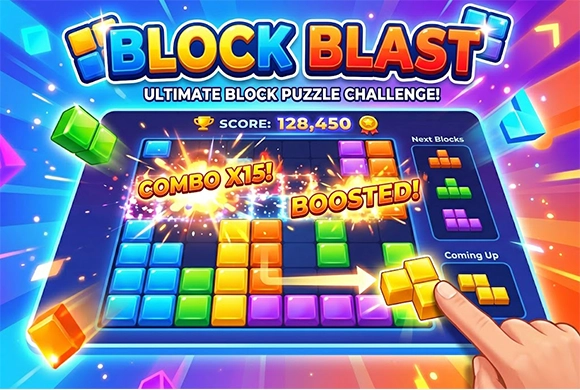
Starting a game of Block Puzzle is intuitive. You are presented with a blank grid and a set of three randomly generated block shapes at the bottom. To begin, simply drag a shape from the bottom tray and drop it anywhere onto the grid where it fits. Your objective is to fill entire horizontal or vertical lines across the board. Once a line is completely filled with blocks, it will disappear, clearing space and rewarding you with points.
After you place all three current shapes, a new set of three will appear. The challenge lies in managing the available space; if you run out of room to place any of the given shapes, the game ends. Therefore, avoid leaving isolated gaps and try to clear multiple lines simultaneously to earn combo bonuses and reach a higher score!
Classic Grid Mechanics
Experience the familiar and satisfying logic of matching blocks on a 10x10 grid to clear lines.
Multiple Game Modes and Brain-Boosting Strategy
Choose between "Classic" for an endless high-score chase or unique modes like "Padding" for variety.
Enhances your spatial reasoning and strategic thinking as you plan the placement of every block.
Keep placing shapes and clearing complete rows or columns without running out of valid placements
Consider the largest or most awkward current shape before placing the easiest one. Avoid leaving isolated single-cell holes when none of the available pieces can fill them. Look for a placement that advances both a row and a column, while still preserving room for the other shapes.
A board with many empty cells can still have no space with the right shape. Planning only the current piece can strand another piece in the same tray.
This guide is based on the supplied game instructions.
Questions about BlockPuzzleWorld
Can I rotate the blocks in this game?
In the standard modes of Block Puzzle, blocks cannot be rotated, adding an extra layer of strategic challenge.
How do I get a higher score?
Try to clear multiple lines at once (combos) and keep the middle of the board clear to accommodate large shapes.
Something not working?
Tell us the game name, your device and what happened at mia@minigame.xin.