Wool World: send the yarn color that still has work to do
The bobbins supply thread to matching areas automatically. Your decision is which color to send next, using the unfinished image as a guide. When a large area is complete, shift attention to small unfilled details instead of continuing with the most visually prominent color.
Controls
Tap the color bobbins at the bottom of the screen to dispatch threads to the canvas.
Send the yarn color that still has work to do
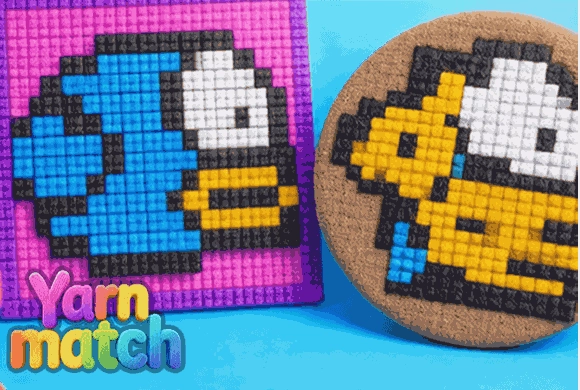
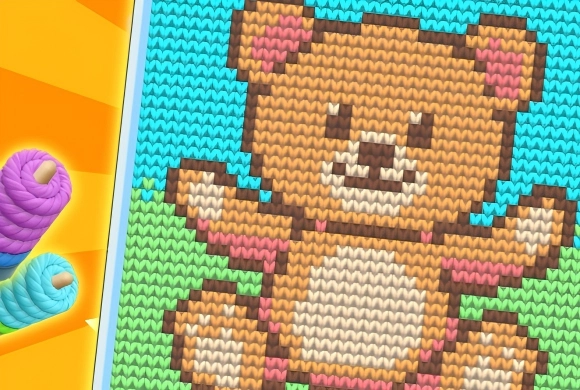
Wool World is intuitive and accessible for everyone. Upon entering a level, you’ll see a pixelated outline of an image at the top and several colored yarn bobbins at the bottom. Each bobbin corresponds to a specific color needed in the artwork. Your task is to tap on the bobbins to "launch" the thread. The thread will automatically travel to the matching colored area on the canvas and fill the empty pixel blocks. You can tap continuously to speed up the process or watch as the patterns slowly come to life.
Observe the percentage bar to track your progress. Once all the colors are correctly filled and the artwork is 100% complete, you’ll unlock the final vibrant image and earn rewards to progress to more challenging patterns.
Fill every colored area of the wool artwork
Use the unfinished areas of the picture to choose the next color. Check the progress indicator for small sections still left to fill.
A nearly complete-looking image can still have small unfinished sections. Repeating one color does not fill areas requiring a different thread.
This guide is based on the supplied game instructions.
Questions about Wool World
What happens if I tap the wrong color?
The game is smart! Threads will only fill their designated matching color areas, so you can't make mistakes.
Can I speed up the stitching process?
Yes, rapid tapping on the bobbins will send threads faster, allowing you to complete the image more quickly.
Something not working?
Tell us the game name, your device and what happened at mia@minigame.xin.