Happy Match: choose the mode and the tapping behavior
This is a group-clearing game, so you tap connected candies rather than swap neighboring ones. Read the selected mode first: Classic rewards reaching a target, while Time Rush adds a clock. A falling group changes which candies touch, making each clear a setup for the next.
Controls
Tap a group of at least two same-colored candies connected horizontally or vertically. In Double Tap mode, tap once to select and again to clear; change this preference in the pause menu.
Choose the mode and the tapping behavior
Find two or more candies of the same color that touch horizontally or vertically.
Tap the group to clear it. Diagonal contact alone does not connect a group.
Watch the remaining candies fall and look for your next opportunity.
Reach the displayed target score in Classic, or keep scoring before the countdown ends in Time Rush.
Happy Match uses tapping rather than swapping candies. In Single Tap mode, one tap clears a valid group. In Double Tap mode, the first tap selects a group and the next tap clears it. You can change this preference in the pause menu.
Two Ways to Play
Classic: Take time to examine the candies and work toward the level's target score. Look at what will fall after each move so you can create useful groups and make the most of the remaining pieces.
Time Rush: Make decisions while the timer counts down. Clear available groups and keep an eye on the clock as you work toward your score goal.
Special Candies and Boosters and Build Your Sweet World
Rainbow candies can clear nearby candies when tapped and can also be included in a matching group. Mystery candies gain a color after you clear a group; they can then join candies of that color. Frosted candies give a score bonus when you bring them to the bottom.
Boosters offer extra ways to handle a difficult position. Use the mallet to remove a candy, the brush to change a candy's color, or shuffle to rearrange the remaining candies. Check the displayed availability or cost before choosing a booster.
Earn stars by completing levels, then open Sweet Worlds to unlock collectible pieces. Each unlocked piece contributes to your world's progress. Complete the collection to receive its reward and continue building your candy collection.
- Check the whole board before clearing the first group you see.
- Think about how candies above a group will fall after it disappears.
- Look for opportunities to join small groups into larger ones.
- Learn each special candy's effect before spending a booster.
- Try Double Tap mode if you prefer to preview your selection.
Reach Classic's displayed score target or build your score before Time Rush ends
Diagonal contact alone does not make a valid group. Watch where the remaining candies fall before choosing the next group.
Candies touching only diagonally do not form a group. In Double Tap mode, the first tap selects rather than clears.
This guide is based on the supplied game instructions.
Questions about Happy Match
What is Happy Match?
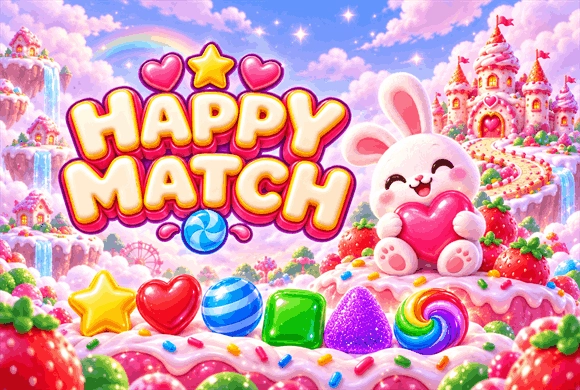
Happy Match is a casual candy puzzle game built around tapping connected groups of matching candies, reaching score targets, and collecting stars.
How many candies do I need to match?
You need at least two matching candies connected horizontally or vertically. Some special candies have their own effects.
Do I swap candies in Happy Match?
No. Tap a connected group to clear it. The controls also offer an optional two-tap selection mode.
What is the difference between Classic and Time Rush?
Classic focuses on reaching a target score. Time Rush adds a countdown, so you need to make your moves before time runs out.
What are stars used for?
Stars unlock pieces in Sweet Worlds and help you complete each world's collection.
Can I turn off music without muting the sound effects?
Yes. Music and Sound Effects have separate switches in the game's audio settings.
Something not working?
Tell us the game name, your device and what happened at mia@minigame.xin.