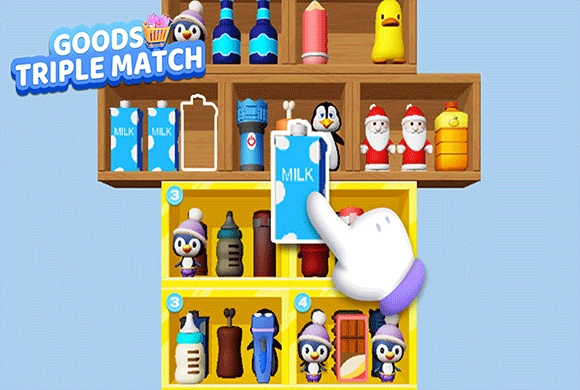
Tile World: seven slots need complete sets
Every collected object occupies a slot until it belongs to a matching triple. The timer encourages steady decisions, but rapidly taking unrelated objects can end the round before time is the problem.
Controls
Tap / Click: Simply tap or click on any 3D object in the pile to move it to your collection bar. Tap the booster icons to use them.
Seven slots need complete sets
Tile World is easy to pick up but requires strategy to master.
Observe the Pile. At the start of a level, look at the messy pile of 3D objects. Try to spot three identical items, even if some are partially hidden underneath others. Pay attention to the timer at the top!
Tap to Collect. Tap an object to move it into the collection bar at the bottom of the screen. The bar has exactly 7 slots.
Match Three. When you get three of the same objects in the collection bar (e.g., three baseballs), they will automatically merge and disappear, freeing up space.
Manage Your Slots. This is the most important rule! Do not blindly tap objects. If you fill all 7 slots with different items and cannot make a match of 3, you will fail the level. Always plan your moves.
Use Boosters. If you get stuck, use the buttons below the bar: "Undo" cancels your last move, "Hint" highlights a matching pair, and "Shuffle" rearranges the pile to uncover hidden items. Clear the board before time runs out to win!
Stunning 3D Objects
Enjoy matching hundreds of beautifully crafted 3D items, including cute toys, fresh food, and more.
Strategic Gameplay and Brain Training
Carefully manage your 7-slot collection bar to prevent it from filling up while searching for matches.
Enhance your memory, concentration, and visual scanning skills through engaging puzzle mechanics.
Use special items like Undo, Hint, and Shuffle to get out of tricky situations.
Remove every object without filling the bar with unmatched items or running out of time
Locate as much of a triple as possible before adding its first object to the bar. Prioritize completing a pair already in the bar when free slots are running low.
A bar full of unmatched objects ends the round even if plenty of time remains.
This guide is based on the supplied game instructions.
Questions about Tile World
What happens if my bottom bar gets full?
The bottom collection bar has 7 slots. If all 7 slots are filled with items and there are no 3 matching objects to clear, you lose the game.
Why did I fail the level even though the bar wasn't full?
You likely ran out of time! Keep an eye on the timer at the top center of the screen. You must clear all objects before it hits zero.
What do the three buttons at the bottom do?
They are helpful boosters! The left arrow is "Undo" (returns the last item to the pile), the middle one is "Hint" (finds a match for you), and the crossing arrows mean "Shuffle" (mixes up the pile).
Something not working?
Tell us the game name, your device and what happened at mia@minigame.xin.