Chill Beads: treat the two storage rows as a buffer
Temporary slots hold beads that cannot yet go onto the canvas. They are a buffer, not a second destination: moving a stored bead onto a newly available matching spot restores useful room. Check those stored colors before taking more excess pieces.
Controls
Mouse / Touch Screen: Click or tap on beads and target canvas spots or storage slots to pick up, transfer, and place beads.
Treat the two storage rows as a buffer
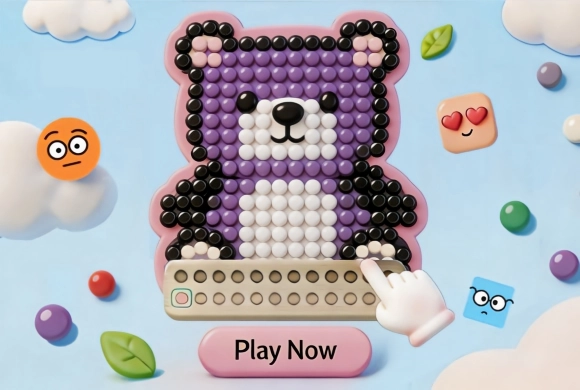
To succeed in Chill Beads, your primary objective is to complete the mosaic canvas by placing beads of the correct color onto matching canvas spots. Observe the active pattern on the screen and examine the colors of incoming beads.
Click or tap on beads to collect and place them into empty canvas spaces of the same shade. If you encounter beads that do not fit into current canvas target spots, transfer them down into the two rows of temporary storage slots below. These buffer spaces help you hold excess pieces until appropriate canvas locations open up. Plan your storage capacity carefully so you do not run out of buffer space, clear every color layer methodically, and finish the pixel bead creation to unlock the next level!
Temporary Storage Slots
Use two rows of bottom storage buffers to strategically manage incoming beads and free up active space.
Vibrant Canvas Designs
Complete a variety of charming bead art patterns ranging from colorful hearts to detailed shapes.
Complete the mosaic using matching beads without exhausting temporary storage
Place a bead directly on the canvas when its matching spot is available. Avoid filling the buffer with colors you cannot use soon.
Filling both storage rows with currently unusable colors reduces your next choices. A similar shade is not necessarily the correct match for a canvas spot.
This guide is based on the supplied game instructions.
Something not working?
Tell us the game name, your device and what happened at mia@minigame.xin.