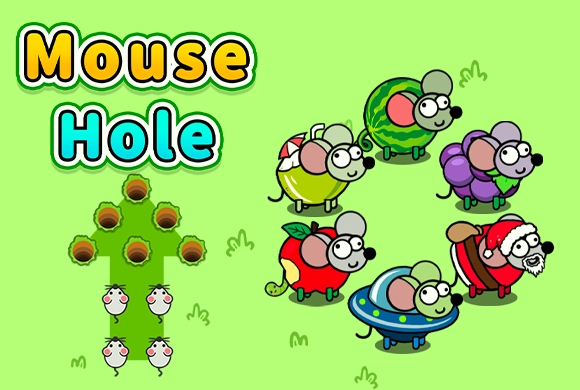
Mouse Hole: decide which mouse gets each opening
Mouse Hole is an ordering puzzle in which a click sends a mouse straight ahead in its fixed facing direction. A successful move needs an available hole along that line. The challenge is to send every mouse home without using an opening that another mouse still needs.
Look across the whole board before starting. Two mice can depend on the same route, and taking an apparently obvious move first can leave the other without a safe destination.
Controls
Click or tap a mouse to send it forward in the direction it is already facing. You choose the order; you do not steer it after departure.
Trace each mouse to its available holes
Follow a straight line from the mouse's nose and identify the openings along that path. Repeat for nearby mice before choosing one. If a mouse has only one usable destination, treat that limited choice as a constraint on the rest of your plan.
A hole disappears after use. The board therefore changes after each successful move, even though the remaining mice keep their original facing directions. Recheck the path of the next mouse before clicking.
Solve the shared route first
When two mice depend on the same line, compare which openings each can reach. Give priority to the mouse with fewer alternatives, leaving a later opening for the one that can use it. The aim is to allocate destinations, not merely clear the mouse nearest the edge.
If a mouse runs off the board, work backward through the earlier moves. Its missing opening may have been taken by a previous mouse, so changing only the final click may not repair the sequence.
This guide is based on the supplied game instructions.
Questions about Mouse Hole
Can I turn a mouse toward another hole?
No. A mouse travels straight in its initial facing direction. Solve the puzzle by changing the activation order.
Why did the last mouse leave the board?
There was no available hole on its route. Check whether an earlier mouse consumed the opening it needed, and adjust the order from that point.
Something not working?
Tell us the game name, your device and what happened at mia@minigame.xin.