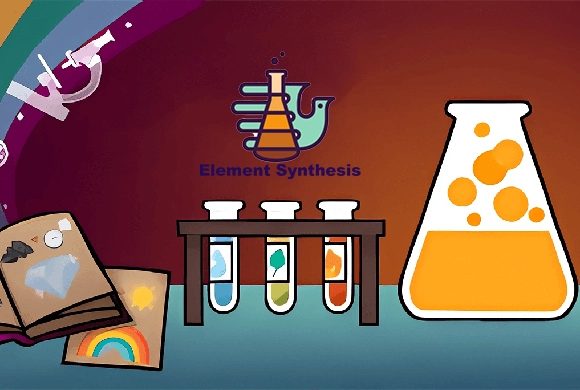
Element Synthesis: use discoveries as ingredients for the next experiment
Progress comes from finding combinations, not from making a physical model of the world. Its recipes are game rules, so treat a plausible real-world connection as a useful hypothesis rather than a guaranteed reaction.
Controls
Click and drag elements from the sidebar to the workspace. Drop one element onto another to combine them. Click menu buttons for Tips or the Encyclopedia.
Use discoveries as ingredients for the next experiment
To begin your journey in Element Synthetic, look at the sidebar on the right side of the screen. This is your library of discovered elements. Click and drag an element, such as "Fire," into the dark central workspace. Then, drag another element, like "Energy" or "Earth," and drop it directly on top of the first one. If a reaction is possible, the two items will merge into a brand-new element, which will then be added to your library.
If nothing happens, try a different combination! Use the "Clear" button at the bottom to tidy up your workspace if it gets too cluttered. You can check the "Encyclopedia" at any time to see which categories you have completed and which items you are still missing. The goal is to keep experimenting until you have discovered every possible item in the game!
Endless Discovery
Combine hundreds of unique elements and items to fill your comprehensive Encyclopedia.
Logical Gameplay and Helpful Hint System
Every combination follows a certain logic, encouraging players to think about how nature works.
Stuck on a combination? Use the "Tips" button to get a nudge in the right direction.
Expand the element library by discovering combinations that produce items you have not found yet
Try a newly discovered item against a small group of familiar elements before moving to another idea. Use the encyclopedia to choose a category you want to explore instead of making unrelated guesses. Clear a cluttered workspace when overlapping items make it hard to tell which pair you are testing.
Dropping items near each other is different from placing one directly onto the other. An unsuccessful combination does not mean the game is stuck; try a different pair.
This guide is based on the supplied game instructions.
Questions about Element Synthesis
I have too many items on my screen, what should I do?
Simply click the "Clear" (broom) icon at the bottom to remove all items from the workspace and start fresh.
Where can I see all the items I've discovered?
Tap the "Encyclopedia" icon at the bottom of the screen to view your full collection categorized by type.
How do I get more hints?
You can earn hints by discovering a certain number of new items or by clicking the "Tips" icon to see available options.
Something not working?
Tell us the game name, your device and what happened at mia@minigame.xin.